


In this article7 sections
A new landing page is the visible part of a redesign. The parts that decide whether the new site performs sit underneath it: the platform, the way people move through the pages, and the technical work that protects your search visibility when URLs and templates change.
This website redesign checklist walks through those layers in the order we plan them, with examples from Shopify, WooCommerce and Webflow builds in our case studies. Use it before you brief a designer or developer, and again before launch.
1. Audit what the current site already does
A redesign should keep what works. Before anyone opens a design tool, write down what the current site does for the business.
- Every URL: export the XML sitemap and crawl the site, so no page is forgotten. Include blog posts, PDFs and old campaign pages.
- What earns traffic and enquiries: in Google Search Console and your analytics, note the pages and queries that bring visitors, and the pages where people enquire or buy.
- What the team edits: list the content your team changes every week, such as products, offers, reviews or case studies. That list shapes the CMS.
- Integrations and forms: payment providers, CRM, email marketing, booking tools and every form, with where its data goes.
Mark the pages that are thin, outdated or duplicated. They are candidates to merge, rewrite or retire, as long as each one gets a redirect.
2. Choose the platform for the job
The platform decision is easier when you start from the tasks in your audit rather than from a feature list. If visitors need accounts, dashboards or workflows, read our guide to website vs web application first.
Shopify for stores that live on their catalogue
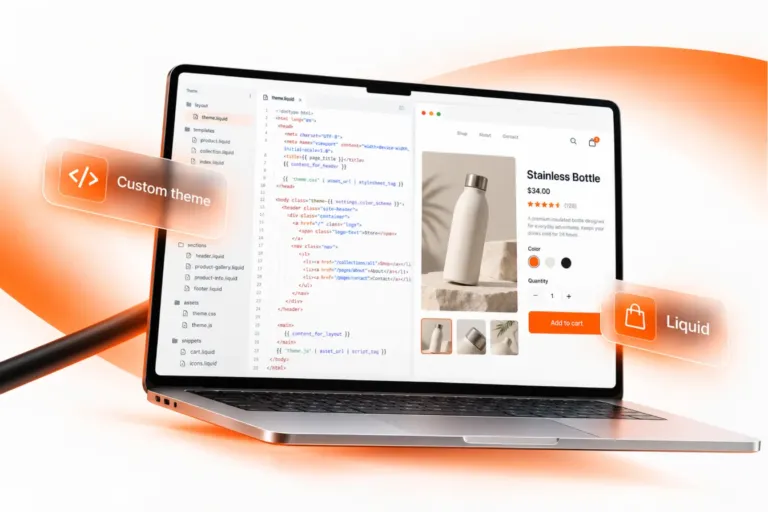
Shopify handles products, payments, checkout and markets out of the box, so the build effort goes into the theme and the buying journey. It suits retailers with large catalogues or customers in several countries. Our Shopify development work focuses on custom Liquid themes that keep apps and page weight under control.
WordPress and WooCommerce for content and flexible commerce
WordPress suits content-heavy sites and teams that want full control over pages, products and orders. WooCommerce adds a shop on the same foundation, and builders such as Elementor and Bricks let the team edit layouts. See our WordPress development service.
Webflow or a custom build for design-led sites and web apps
Webflow suits marketing sites with a strong visual design and a CMS the team can run without a developer. Portals, dashboards and complex integrations need a custom application, for example in React or Next.js. Both sit under our custom web development service.
3. Design the UX around real tasks
Most redesign briefs start with how the site should look. A better brief starts with what people need to do on it. Our UI/UX and brand design work begins with questions like these:
- Does the navigation follow how customers think about your range or services?
- Can visitors answer their buying questions (price, delivery, sizes, next steps) next to the button, without leaving the page?
- Does every key page work on a phone first, with tap targets, readable text and forms that are quick to fill in?
- Do forms ask for what your team needs to reply well, and nothing more?
- Do colour contrast, headings and alt text meet accessibility basics?
Test the main journeys on a prototype before development starts. Changing a wireframe costs far less than changing a finished template.
4. Protect your search visibility: technical SEO and redirects
Does a website redesign affect SEO? It can, in both directions. Rankings can drop when URLs change without redirects, when pages that earned traffic disappear, or when the new templates lose their titles and headings. Planned well, a redesign keeps what Google already knows about your site and makes it easier to crawl.
Map every old URL to its new home
Build a redirect map from your URL audit: one row per old URL and its closest new equivalent. Use permanent (301) redirects, point each old URL straight at its final destination without chains, and avoid sending everything to the homepage.
Carry over the on-page basics
Move each page’s title tag, meta description, H1 and structured data to the new template, and keep one H1 per page. Update internal links so they point at the new URLs instead of relying on redirects.
Plan languages and markets early
If you sell in more than one country, give every language its own URL and connect the versions with hreflang. Adding this after launch is harder than building it in.
Check the launch build
Before you switch over, remove the staging site’s noindex setting and any robots.txt block, submit the new XML sitemap in Google Search Console, and test the main templates for Core Web Vitals.
5. Three examples from our case studies
Kampeerwinkel Roermond (Shopify): a large catalogue in three languages
Kampeerwinkel Roermond sells more than 9,400 camping and outdoor products across 14 departments. We designed and built a custom Shopify theme around how people shop for camping gear: department first, then type, then brand and price. An All Categories menu shows every department with its product count, search sits in the header on every device, and the Dutch, English and German storefronts each have their own URLs. Checkout offers free pickup in Roermond alongside iDEAL, Klarna and KBC/CBC.
Flow Storage (Webflow): a CMS the team runs itself
Flow Storage rents container units and caravan and boat storage just outside Roermond. Its new brand arrived as a detailed Figma design, and the team needed to update content without a developer. We built it in Webflow, with one CMS template that generates six use-case pages and a contact form that captures complete enquiries, including whether they come from a private customer or a business.
Products for Home (WooCommerce): a checkout funnel that builds the basket
Products for Home sells Greek honey, olive oil and other Mediterranean specialities in the Netherlands and Belgium. Free delivery starts at €60 in the Netherlands and €70 in Belgium, so the store lives on order value. We designed and built the storefront from 42 custom Bricks elements on WooCommerce, then planned the journey as one funnel: the side cart counts down to free delivery, and the one-page checkout offers five payment methods and one well-chosen add-on. The shop made 40%+ more sales from its checkout funnel (AvixDigital project data, reported by the agency, 2026).
6. After launch: measure and keep improving
The first weeks after launch show whether the redesign has kept its search visibility.
- Watch Google Search Console for 404 errors, crawl problems and pages that drop out of the index, and fix redirects as you find them.
- Compare traffic, enquiries and sales page by page with the figures from your audit, not just site-wide totals.
- Check Core Web Vitals with field data once enough visits come in.
- Keep a short list of the improvements you postponed, and schedule them.
Your website redesign checklist
- Export every URL and note the pages that earn traffic, enquiries and sales.
- List the content your team edits and the integrations the site needs.
- Choose the platform from those tasks, not from a feature list.
- Design and test the main journeys on a prototype, phone first.
- Build a 301 redirect map and carry over titles, descriptions and headings.
- Give each language its own URL and connect the versions with hreflang.
- Remove staging blocks, submit the XML sitemap and test speed before launch.
- Monitor Search Console and your analytics for the first weeks after launch.
Planning a redesign? Tell us about your current site and your goals, and we will help you plan the platform, the journeys and the redirects before the build starts.